
When exploring an organisation’s internet footprint, DNS often reveals more than expected.
It's easy to dismiss DNS as a backend utility that just makes connections happen, a static directory that simply points traffic where it needs to go. But in reality, it's a rich, and underused set of data sources for attack surface discovery.
In this article we’ll use a Example scenario to go through a series of practical DNS pivots with HackerTarget tools, showing how DNS lookups, reverse searches, shared nameserver pivots, and zone transfer checks can expose parts of a target’s online footprint that are often overlooked.
What is DNS Pivoting?
DNS pivoting is the process of using one piece of DNS information to discover additional assets, services, and infrastructure relationships. A single domain can lead to IP addresses, mail records, nameservers, subdomains, reverse DNS records, shared hosting, and other related domains.
For attackers, DNS pivoting is reconnaissance. For defenders, it is a way to see what an adversary may already be able to discover and review those exposures before they become useful paths into the environment.
DNS does not prove ownership or attribution on its own. It gives a set of clues to validate, group, discard, or investigate further.
How DNS Pivoting Works
DNS pivoting is rarely a straight line. One lookup creates the next question: what does this IP host, what else uses this nameserver, which subdomains exist, and do any records point to third-party services or forgotten systems?
1. Start with a domain
Collect A, AAAA, MX, NS, TXT, SOA, and CNAME records to establish the first view of external infrastructure.
2. Expand from records
Use IP addresses, nameservers, mail records, and hostnames as pivot points for further discovery.
3. Separate signal from noise
Shared hosting, CDNs, and third-party services can create unrelated results, so each finding needs validation.
4. Feed confirmed assets forward
Authorised, in-scope hosts can move into port scanning, vulnerability scanning, monitoring, or reporting workflows.
What DNS Can Reveal
DNS records often point to more than the main website. By following those records, you can uncover:
- Old hostnames still pointing to applications, servers, or third-party services.
- Test sites and development services that were never meant to stay exposed.
- Admin panels, VPN portals, and mail hosts that expand the visible attack surface.
- Third-party dependencies connected through DNS records.
- Abandoned records that may create subdomain takeover risk.
- Shared infrastructure that may reveal related domains, hosts, or providers.
Tools Used in This Walkthrough
The example below uses several HackerTarget DNS tools. Each tool answers a different question in the pivoting process: where does the domain resolve, what hostnames are known, what else shares the same IP, and whether nameservers or zone transfer exposure reveal more infrastructure.
| Tool | Question It Helps Answer | API Endpoint |
|---|---|---|
| DNS Lookup | What records exist for this domain? | api.hackertarget.com/dnslookup/?q=domain.com |
| Find DNS Host Records | What known hostnames or subdomains are associated with this domain? | api.hackertarget.com/hostsearch/?q=domain.com |
| Reverse IP Lookup | What observed domains resolve to the same IP? | api.hackertarget.com/reverseiplookup/?q=1.2.3.4 |
| Reverse DNS Lookup | What PTR records or hostname clues exist for this IP? | api.hackertarget.com/reversedns/?q=1.2.3.4 |
| Zone Transfer Test | Does an authoritative nameserver allow AXFR and expose zone records? | api.hackertarget.com/zonetransfer/?q=domain.com |
| Domain Profiler | How can these pivots be combined into one attack surface discovery workflow? | Membership Required |
The walkthrough follows these pivots manually. If you run this type of investigation often, Domain Profiler brings many of these checks together in one workflow.
Example Scenario: Investigating a Suspicious Domain
In the scenario, you are a security analyst who has identified a suspicious domain, malicious-example.com, from a recent phishing campaign. You need to investigate the full extent of the threat actor's infrastructure. In this case it all starts with the domain name malicious-example.com. The first step is to see what IP address(s) it resolves to.
The goal is not to prove attribution from one DNS result. The goal is to collect related infrastructure clues, separate useful pivots from noise, and decide what should be blocked, monitored, or investigated further.
Step 1: Start with a DNS Lookup
Use the DNS Lookup tool (or use the API) to map a hostname to an IP address. This quick search reveals the current A record (IPV4 address) and AAAA record (IPV6) plus MX, NS, TXT, SOA and other records. So, even from this one query, we can see where the domain resolves, how mail is routed, which DNS provider is in use, and which verification tokens or third-party services appear in TXT records.
# Using the HackerTarget DNS Lookup web tool or API
query: malicious-example.com

A : 198.51.100.40
A : 203.0.113.40
AAAA : 2001:db8:20e:3::23c
AAAA : 2001:db8:b:3::152
AAAA : 2001:db8:201:10::10f
MX : 10 example-com.mail.protection.outlook.com.
NS : ns3-39.azure-dns.org.
NS : ns1-39.azure-dns.com.
NS : ns4-39.azure-dns.info.
TXT : mixpanel-example-verify=5803bc4c-5beb6-4ce1-8076-753800097373
TXT : fake-site-verification=123uFg3wr5PWg74nelV029RoXXBBUW0_E6qf1WEWVHhetkOY
SOA : ns1-39.azure-dns.com. azuredns-hostmaster.example.com. 1 3600 220 2519200 300
Most importantly, a map of the target’s external footprint is starting to build. As a rule, attackers and penetration testers use DNS data to expand their view of a organisation’s infrastructure and understand its attack surface.
• Verify: check whether the resolved IPs and MX records match your asset inventory.
• Record: note verification tokens and provider info (TXT, MX, NS) for later pivots.
• Log: store all record types to build a baseline map of external services you can revisit.
Step 2: Check for Zone Transfer Exposure
A Zone transfer goes further. If an authoritative name server allows AXFR to unauthorised clients, it may expose the DNS records for that zone, often including hostnames, mail records, name server records, and other infrastructure details.
Zone transfers aren’t common as most DNS providers and admins block them but when you do find one, it changes the recon game. Instead of brute forcing or pivoting slowly, you may get a large part of the zone map in one hit.
# Using the HackerTarget Zone Transfer web tool or API
query: malicious-example.com

admin.malicious-example.com #likely sensitive, higher-value target.
api.malicious-example.com   #backend services, often overlooked in hardening.
mail.malicious-example.com  #communication system, possible target for credential attacks.
staging.malicious-example.com  #usually less secure than a production server.
The results above show admin portals, APIs, mail infrastructure, and a staging environment. Each of these expands the attack surface:
zonetransfer.me is intentionally left open for testing zone transfers. Use it with our Zone Transfer tool to see what a full zone dump looks like.
• Flag name servers that allow unauthorised AXFR and confirm whether this is expected.
• Prioritise sensitive hosts such as
admin, staging, and mail for further testing.• Store the full zone file as a reference for ongoing recon.
Step 3: Pivot from IP Address to Hostnames
From the IP address discovered earlier with the DNS Lookup tool (198.51.100.40) now try to find what hostnames point to that same IP. Two tools work here:
- Reverse DNS lookup : checks the PTR record (e.g webserver1.targetcorp.com)
- Reverse IP Lookup : lists known forward DNS records pointing to the same IP.
Reverse DNS shows a single PTR record, which often reflects internal naming conventions (webserver1 here). On its own, it doesn’t prove ownership, but it provides another clue that the IP may be tied to the same infrastructure.
# Using the HackerTarget Reverse DNS Lookup web tool or API
query: 198.51.100.40

PTR : webserver1.malicious-example.com.
Reverse IP shows a broader picture and how the IP address is shared across multiple domains. Two of them: scam-example.net and fake-login.org look obviously malicious, linking the phishing campaign to other suspicious activity.
# Using the Reverse IP Lookup web tool or API
query: 198.51.100.40

scam-example.net
blog.malicious-example.com
unrelated.org
fake-login.org
images.mscode.in
Also revealed is blog.malicious-example.com and other unrelated domains. Each hostname is another pivot. If it’s related to the threat actor (or target) the recon expands. If not, it's just noise (common when the attacker's or target’s site is on shared hosting).
This is where the circular nature of DNS pivoting comes in. A result from Reverse IP takes us back to a fresh DNS Lookup, where subtle relationships can be uncovered. For example:
# Using the HackerTarget DNS Lookup web tool or API
query: images.mscode.in

CNAME : cdn.malicious-example.com.
A     : 203.0.113.40
AAAA  : 2001:db8:b:3::152
In example above, the domain images.mscode.in doesn’t look related at first, but the lookup reveals a CNAME pointing to cdn.malicious-example.com on the same infrastructure. That small connection ties it back into the threat actor’s footprint and shows how pivots loop back around.
• Validate: check whether related hostnames are actually connected to the campaign or target.
• Prioritise: follow hostnames with clear links, such as shared CNAMEs, matching infrastructure, or suspicious naming patterns.
• Record: keep low-confidence shared-hosting results separate from stronger campaign links.
Step 4: Check Shared DNS Infrastructure
In parallel with earlier pivots, the domains uncovered in the Reverse IP lookup should also be checked for shared DNS infrastructure, so lets check whether they also share the same name servers.
Start by running a DNS Lookup on each domain:
# Using the DNSLookup web tool or API

query 1: malicious-example.com
query 2: scam-example.net
query 3: fake-login.org

# Results (both domains share the same NS set)
NS : ns1.badguyshosting.com
NS : ns2.badguyshosting.com
NS : ns3.badguyshosting.com
Since the three domains return the same nameserver set, they share DNS infrastructure. That does not prove common ownership, but it gives the analyst another pivot point.
From here, the analyst pivots on one of the shared nameservers (e.g. ns1) to expand the picture:
# Using the Find Shared DNS Servers web tool or API

query: ns1.badguyshosting.com
Example output:
malicious-example.com
scam-example-2.net
fake-login.org
phish-example-portal.org
staging-app.net
example-badservice.com
A single NS pivot now links multiple domains under the same provider. Some of these like fake-login.org and phish-example-portal.org belong to the phishing campaign. Others like staging-app.net and example-badservice.com may not be malicious but are logged for review later. These could turn out to be part of the same infrastructure cluster once more pivots are run.
• Group domains that share the same NS to map the cluster.
• Investigate suspicious ones now; log the rest for later.
• Treat shared NS data as a pivot point, not proof of common ownership.
Step 5: Move from Recon to Defense
For this scenario, the investigation pauses here. The analyst has built out a cluster of suspicious domains, staging systems, and shared DNS indicators that warrant defensive review. With these findings logged, there’s enough to brief the defensive team and decide what should be blocked, monitored, or investigated further.
Defensive Actions:
- Expand the scope:
Use related domains, hostnames, IPs, and nameservers to look for connected infrastructure. - Reduce Exposure:
Block or monitor confirmed malicious domains and IPs at firewalls, DNS filters, proxies, and network security appliances. - Document Findings:
Record shared nameservers as indicators for further validation before treating them as IOCs.
Conclusion
DNS pivoting is an essential technique for any cybersecurity professional performing reconnaissance. Every pivot explored: lookup, reverse lookup, subdomain discovery, zone transfer, shared DNS, and analysing record details, plays a role in uncovering hidden infrastructure that otherwise evades detection. Use them in combination, use them iteratively, and use them creatively. Start from one tiny DNS clue and snowball it into a complete picture of a target’s external network. The more knowledge gathered in recon, the better prepared for the next phases of any security assessment.
Manual DNS pivoting is useful because it shows how each clue connects to the next. For repeated investigations, the value comes from making the process consistent: collect the records, preserve the pivots, separate related infrastructure from noise, and create output that can be reviewed by defenders.
If you run this workflow regularly, Domain Profiler saves hours of manual pivoting.
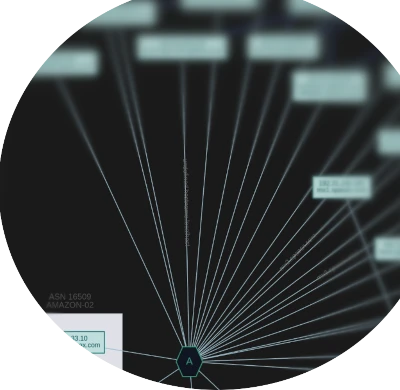
It produces consistent, reproducible output in multiple formats (XLSX, dashboard, visual maps)
ready to hand to defenders or drop straight into SIEMs and reporting.
Try Domain Profiler