
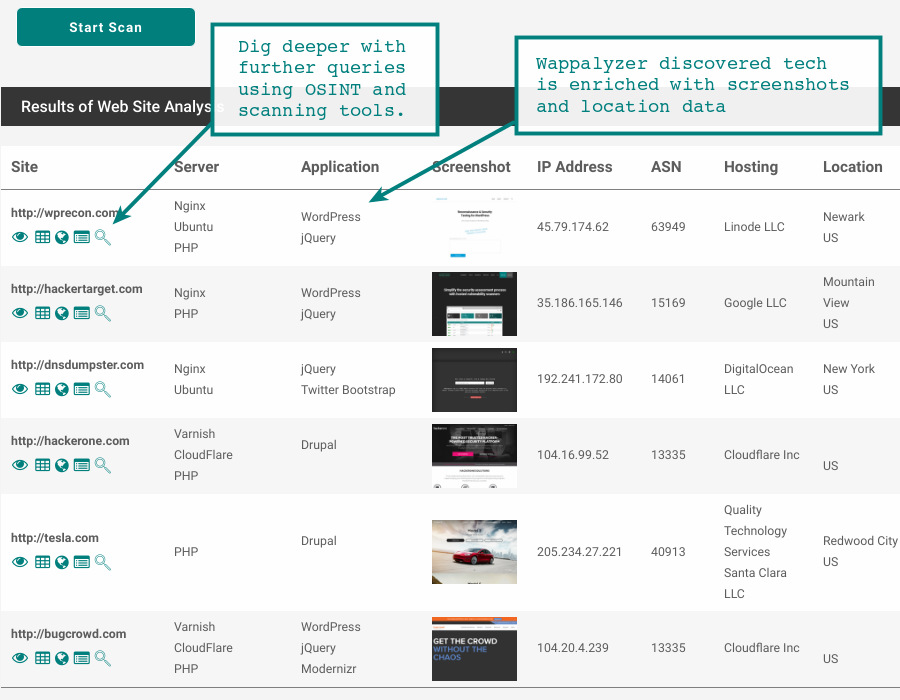
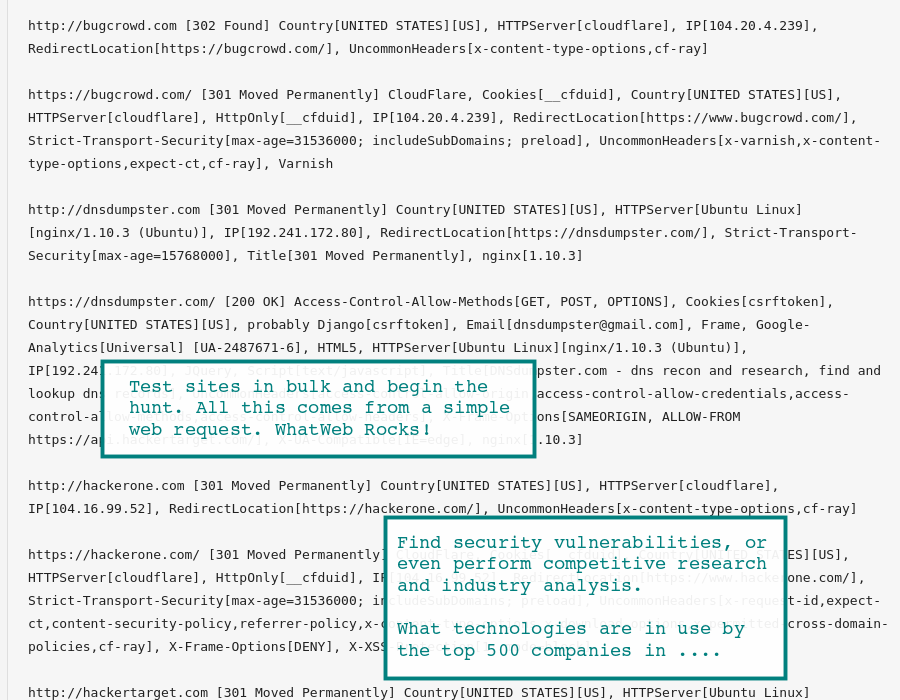
Online version of WhatWeb and Wappalyzer tools to fingerprint a website detecting applications, web servers and other technologies. The tools examine the web server HTTP Headers and the HTML source of a web page to determine technologies in use.
Security vulnerabilities in well known web applications and technologies are a common attack vector. Keeping your web applications and client side scripts up to date can reduce your risk of being hacked significantly.
Detect web technologies in use by HTTP/HTTPS sites through passive analysis of a regular web request.
MEMBERSHIP BENEFITS
- Passive analysis of web sites to determine technologies in use
- Bulk Testing of up to 1000 sites at a time (depending on plan)
- Find vulnerable servers and applications from detected version
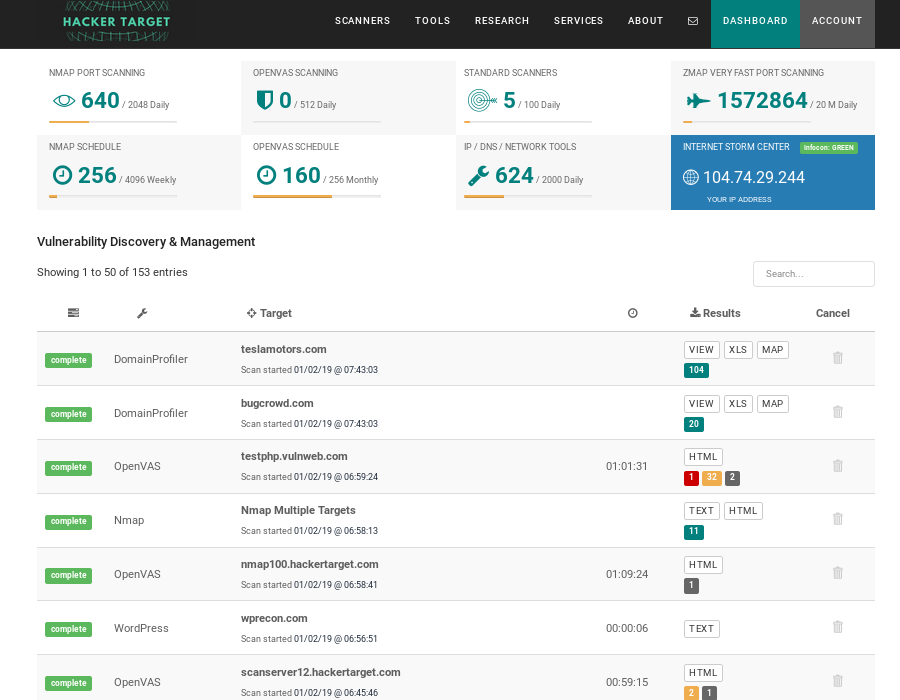
- Access to all 28 Vulnerability Scanners and OSINT Tools
- Trusted Open Source Tools
About Passive Website Analysis
When performing attack surface discovery against an organisation a great deal of information can be gathered from simply performing a regular web request against the target web sites. The response from the web server will reveal details about the technologies in use within the HTTP Response Header as well as the HTML body of the response.Analysis of the HTTP response can reveal:
- web server and version in use (nginx, IIS, apache)
- content management system (wordpress, joomla, drupal)
- management applications (phpmyadmin, tomcat administration pages)
- javascript frameworks (ember.js, angularjs)
- web analytics javascript (google analytics)
- server backend scripting languages (cold fusion, php, django, java)
Application fingerprint is the first step of the Information Gathering process; knowing the version and type of a running web server allows testers to determine known vulnerabilities and the appropriate exploits to use during testing.
OWASP: Information Gathering
About the WhatWeb Tool
Content management systems (CMS), blog technologies, analytics packages, javascript libraries, web server versions are just some of the technologies that can be identified with WhatWeb. When you visit a web address in your browser the raw source has many unseen pointers about the server and software that is running on the web site. WhatWeb parses this code and identifies known technologies. With more than 250 plugins that identify technologies removing the Powered By reference may not be enough to obscure the technology being used.Non-Intrusive or Passive Scan
The nature of the testing performed by WhatWeb is non-intrusive. Depending on your definition it could be called semi-passive as you are still sending packets to the target, however those packets would not be detected as anything other than a regular web page request. The command line arguments used with the online Whatweb scan perform a passive analysis. For a full overview of the tool and the available options take a look at the project page.Active Scanning
It is possible to perform more aggressive testing with WhatWeb. Using different command line options it is possible to have the tool attempt to guess file locations. This can help in identification of web applications and scripts as the location of certain files can confirm or provide further indicators to the technology in use. The fact you are sending guesses at the target looking for certain files, means you are now creating noise on the web server as404 not found errors are being generated. This is what moves the testing from passive to more active scanning.